Excel表中怎么将小写数字转换为大写数字
1、打开要编辑的Excel表格,选中表格中要更改的数字。
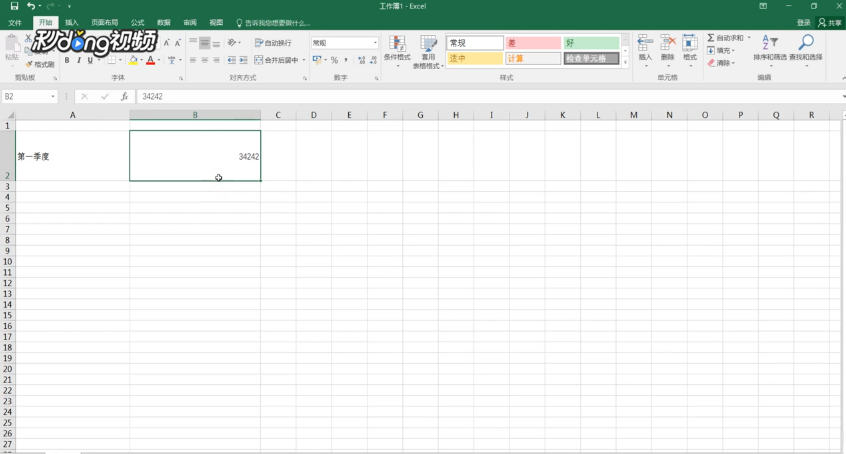
2、将选中的数字鼠标右击,点击“设置单元格格式”。

3、进入到单元格格式界面后,点击“特殊”。
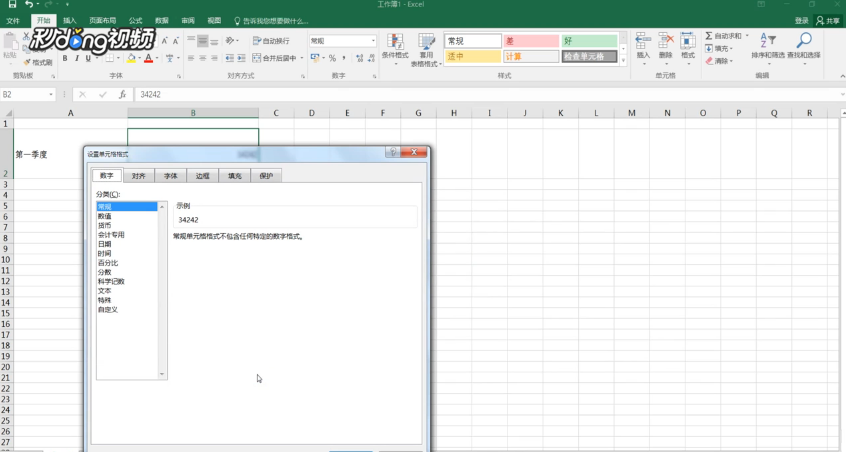
4、找到并点击“中文大写数字”,点击“确定”即可。

阅读量:145
阅读量:48
阅读量:108
阅读量:26
阅读量:114
1、打开要编辑的Excel表格,选中表格中要更改的数字。
2、将选中的数字鼠标右击,点击“设置单元格格式”。
3、进入到单元格格式界面后,点击“特殊”。
4、找到并点击“中文大写数字”,点击“确定”即可。