如何设置Bandicut3当文件已存在时弹窗提醒
1、点击“Bandicut3”

2、在“Bandicut3”窗口中,点击“设置”

3、在“设置”窗口中,点击“概要”

4、在“概要”窗口中,将“当文件已存在时提醒我”勾选上

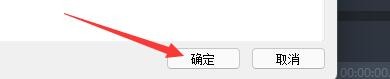
5、点击“确定”即可
阅读量:107
阅读量:157
阅读量:147
阅读量:26
阅读量:139
1、点击“Bandicut3”
2、在“Bandicut3”窗口中,点击“设置”
3、在“设置”窗口中,点击“概要”
4、在“概要”窗口中,将“当文件已存在时提醒我”勾选上
5、点击“确定”即可